
Section 1 – Introduction
I am aware that the Xbox version of my Browser could still crash in certain situations. Stability on Xbox is something I take very seriously, so reducing the crash rate has been one of my main focus areas recently.
While working on the latest update, I took a closer look at two areas that can influence stability. First, I wanted to make sure the browser always has enough available memory while running in the Xbox environment. Second, I reviewed the crash reports and error logs that are generated when something goes wrong.
Based on what I found, I already made some adjustments for the current update to improve stability. In the following sections I will briefly explain what I looked at and what changes were made.
Part 2 – Investigating memory usage
One of the first things I wanted to understand better was how the browser behaves in terms of memory usage on Xbox. To analyze this more closely, I installed the application directly on my Xbox and monitored its behavior during normal browsing sessions. For this I used the Xbox web app tools, which allow observing the application while it is running.
While doing these tests I opened multiple tabs and visited different types of websites. What became noticeable fairly quickly was that memory usage increased significantly when several tabs were active at the same time. This became even more visible when some of those tabs contained video content or media-heavy pages.
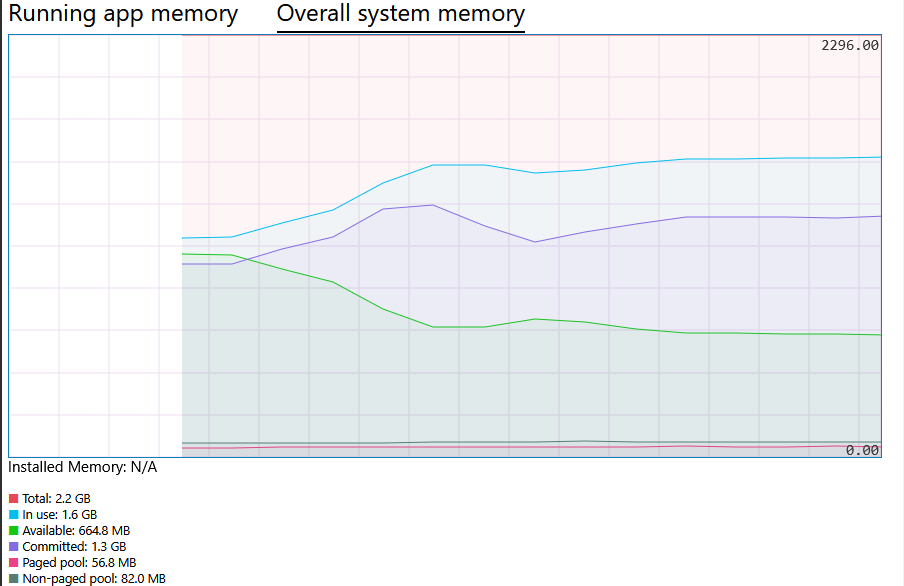
In those situations the browser was not necessarily doing anything wrong, but the available memory on the console could start to become constrained when many active WebViews were running simultaneously.
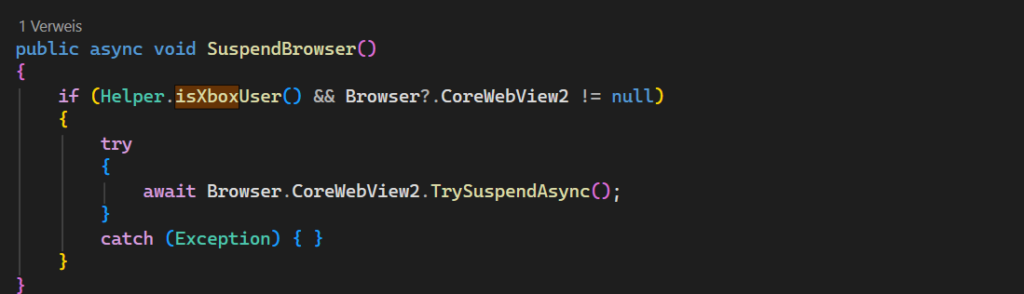
Because of this I started looking for ways to reduce the memory pressure caused by inactive tabs. During that research I came across a method provided by the WebView2 API called TrySuspendAsync. This method allows an individual WebView instance to be suspended when it is not actively being used.
The idea behind this approach is quite straightforward. When a user switches to another tab, the WebView that belongs to the previous tab does not necessarily need to continue running at full capacity in the background. By suspending that WebView instance, the system can free up resources while still keeping the tab available.
In the current update I began integrating this mechanism into the tab switching logic of the browser. When the user switches to another tab, the previously active WebView can be placed into a suspended state using TrySuspendAsync. This helps reduce the amount of active WebViews consuming memory at the same time and should improve overall stability during longer browsing sessions.
Part 3 – Looking at crash reports
After investigating memory usage, the next step was to take a closer look at the crash reports themselves. Crash telemetry can often reveal patterns that are not obvious during normal testing.
When reviewing the reports, one error appeared repeatedly: ACCESS_VIOLATION. This type of error usually indicates that something tried to access memory in an invalid way. In environments like WebView-based applications this can sometimes be related to the underlying browser engine rather than the application logic itself.

To better understand what might be causing it, I started digging deeper into the configuration options available for the WebView2 environment. WebView2 provides several environment variables and runtime flags that can influence how the rendering engine behaves.
During that investigation I came across reports that certain video playback scenarios on Xbox can trigger instability when Media Foundation components are involved. Because of that, I experimented with adjusting some of the WebView2 environment settings.
One change that turned out to be relevant was disabling MediaFoundationClear. This setting is related to how media playback is handled internally by the WebView2 runtime. Since video playback is a common activity inside a browser, even small issues in this area can have a noticeable effect on stability.
After disabling this setting and testing the browser again under similar conditions, the behavior appeared more stable during video playback and multi-tab browsing. While this does not mean every possible crash scenario is solved, it is another step toward improving reliability on the Xbox platform.
Crash analysis will continue to be an important part of development, because understanding where these issues originate is the key to gradually reducing the crash rate.
Looking ahead
Even with these changes, I want to be clear that the Xbox version is not completely free of issues yet. Console environments behave differently from traditional desktop systems, and stability improvements often happen step by step rather than through a single fix.
The adjustments described above should help reduce some of the situations that could previously lead to crashes, especially during longer browsing sessions or when multiple tabs are open. However, there are still areas that require further observation and testing.
I will continue to monitor crash reports, analyze telemetry data, and make adjustments where necessary. The goal is to gradually reduce the crash rate and make the browsing experience on Xbox as reliable as possible within the technical limits of the platform.
As always, feedback from users is extremely valuable when identifying real-world scenarios that may not appear during internal testing. Just write me on the support address
Best
Michael