
At first, it didn’t look like a technical problem.
Users reported crashes. Not constantly, but often enough to notice. Sometimes the browser would freeze, sometimes it would just close without warning.
During development, everything seemed stable. The browser is built on WebView2, Microsoft’s Chromium-based web engine. On desktop, it’s reliable and continuously updated through new runtime versions.
So the assumption was simple: the foundation is solid.
But Xbox behaves differently.
What Actually Happened in Real Usage
After looking at crash data and user behavior, a pattern became clear.
Crashes didn’t happen randomly. They happened after some time:
- Opening multiple websites
- Watching videos (especially YouTube)
- Switching between tabs
The browser didn’t fail immediately. It slowly became unstable.
That was the frustrating part. It worked at first — and then it didn’t.
WebView2 and the Reality on Xbox
WebView2 is not just a small component. It’s a full browser engine running inside the app.
Each tab means:
- A separate WebView2 instance
- Its own memory allocation
- Its own scripts, rendering, and media handling
On Windows PCs, that’s fine.
On Xbox, it isn’t.
Memory is limited, and WebView2 still behaves like a desktop browser internally. On top of that, WebView2 depends on a runtime that is continuously updated. That means behavior can slightly change over time as newer Chromium versions roll out.
That combination makes it powerful — but also harder to control in a constrained environment like Xbox
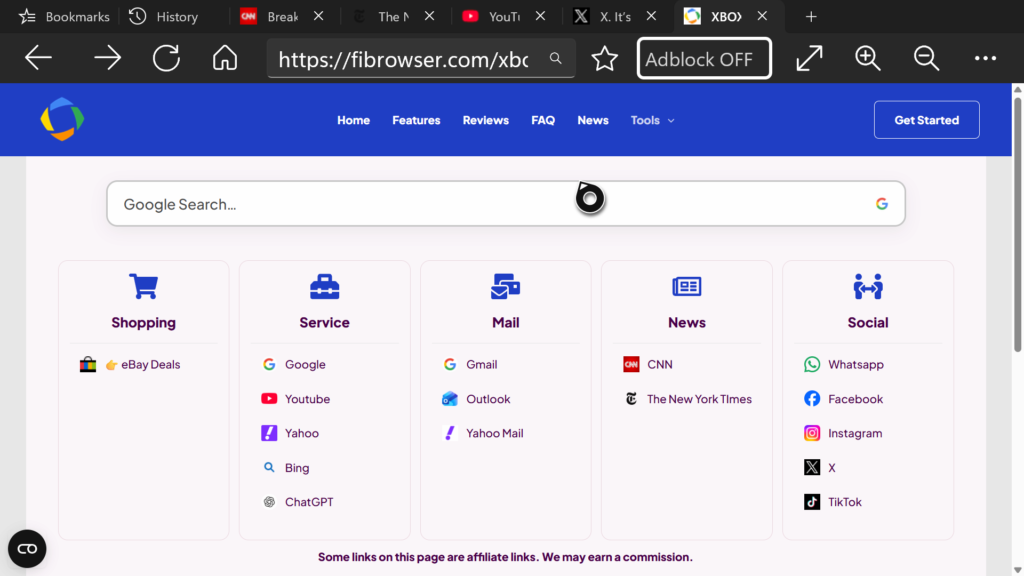
This shows a typical real-world situation: multiple tabs open at the same time, including heavy sites like YouTube.
In practice, instability started to appear at around 3–5 tabs, especially when video content was involved.
Before the change, crash rates were often in the range of ~8–10%, depending on how users browsed.
Trying to Fix It (And Failing)
The first instinct was to optimize.
I spent quite a while trying to fix this without removing tabs:
- Reducing background activity
- Managing tab lifecycles
- Experimenting with WebView2 behavior
- Trying to suspend inactive views
Some of it helped slightly. But nothing really solved the problem.
It was frustrating, because technically everything was “working” — just not reliably.
At some point it became clear:
This wasn’t something I could optimize away. The platform simply couldn’t handle multiple active WebView2 instances in a stable way.
Removing Tabs Instead of Managing Them
So I made a decision that felt wrong at first.
Instead of improving tab handling, I removed tabs for Xbox usage.
That led to what is now called Single Tab Mode.
How Single Tab Mode Works
ngle Tab Mode simplifies the browser to its core:
- Only one WebView2 instance is active
- Opening a new page replaces the current one
- No background tabs exist
This means:
- No hidden memory usage
- No buildup over time
- No multiple WebView2 instances competing for resources
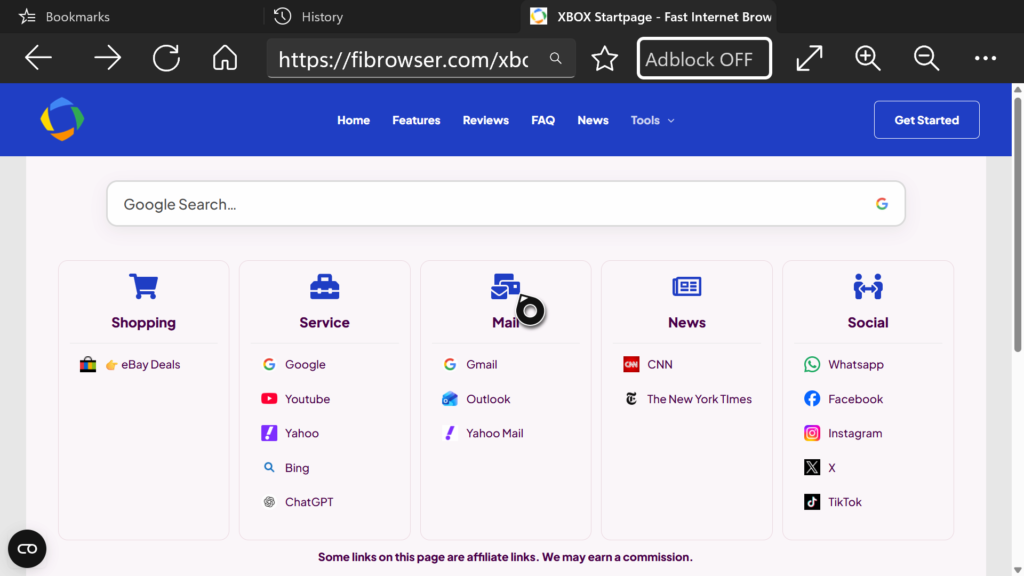
Here, only one page is active, keeping WebView2 usage stable and predictable.
Technically, this fits much better with how Xbox handles memory.
Instead of behaving like a scaled-down desktop browser, it behaves like a focused, single-session browser.
Making the Change Transparent
This wasn’t something I wanted to force silently.
Users are asked directly when they start the browser.
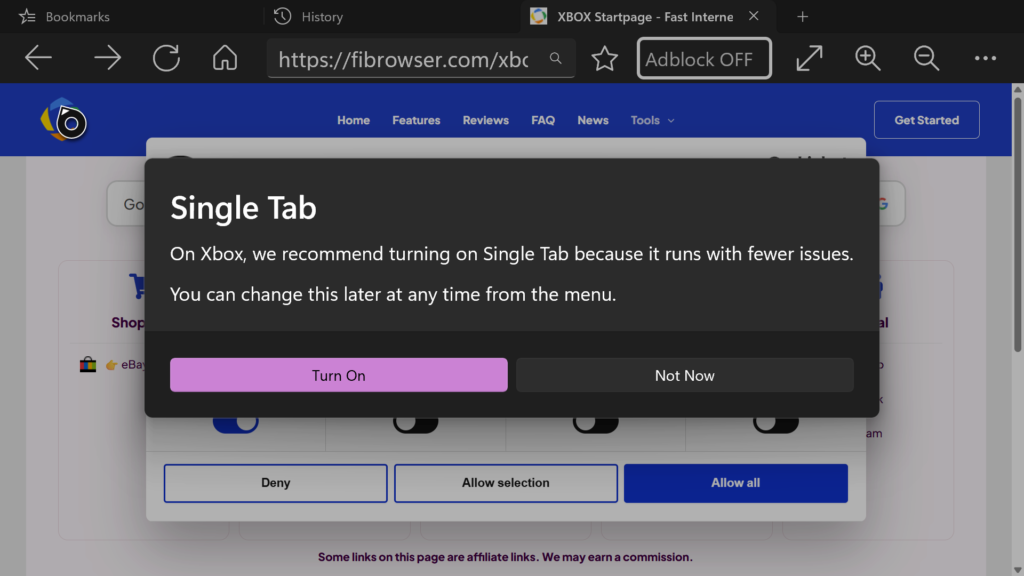
This dialog explains why Single Tab Mode is recommended and allows users to enable it with one click.
The message is simple:
“On Xbox, we recommend turning on Single Tab because it runs with fewer issues.”
What Changed After the Update
The impact was immediate.
Crash rates dropped noticeably and became much more stable over time.
You could actually feel the difference after using the browser for a few minutes — especially when switching between sites or watching videos.
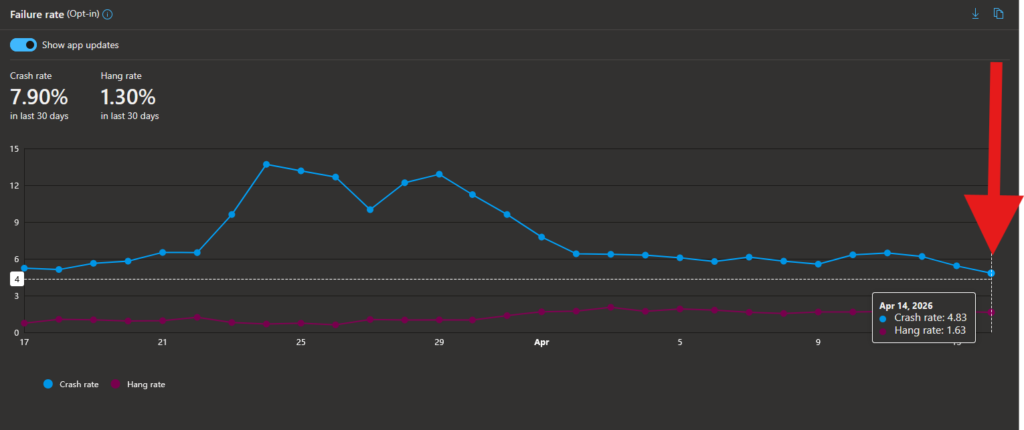
The graph shows how the crash rate improves over time, dropping to around ~4–5% in recent data.
This wasn’t just a small improvement.
It changed how reliable the browser feels in everyday use.
What This Means in Practice
At first, removing tabs felt like losing an important feature.
In reality, on Xbox, tabs were the main source of instability.
Most users don’t browse like on a desktop anyway. They open one site, use it, and then move on.
Single Tab Mode matches that behavior much better.
A Different Approach to Features
Working with WebView2 on Xbox changed how I think about features.
WebView2 is powerful, but it’s still a full browser engine running inside an app — and it behaves like one.
Trying to run multiple WebView2 instances in parallel just doesn’t scale well on this platform.
In this case, removing complexity was more effective than trying to control it.
What Comes Next
Future updates will continue to focus on:
- Keeping WebView2 usage predictable
- Adapting to runtime changes over time
- Avoiding unnecessary background processes
The goal isn’t to replicate a desktop browser.
The goal is to make browsing on Xbox actually stable.